How it works

From barcode to answer, even when the barcode fails.

NordicScan is designed for the real store trip: fast when the barcode matches, clear when the app has evidence, and still useful when the product needs a photo-based fallback.

1. Successful scan 2. Interpret the result 3. Barcode not found 4. Analysis ready in minutes

Important: NordicScan results are informational and not medical advice.

Placeholder phone screen showing a photo analysis result becoming ready in minutes.

The walkthrough now includes the photo-analysis path explicitly so the site explains what happens after a barcode is missing.

Walkthrough

The four-state story the product needs to explain.

The site should show both the happy path and the recovery path. These four states make that flow concrete without overpromising what the app can know.

01 Successful scan

Point the camera, match the barcode, and open the result.

When a product is recognized, the app should move straight into a readable result instead of forcing extra taps or explanation screens.

  • Barcode scanning is the default entry point.
  • Search-by-name can support the same flow when needed.
  • The first screen should already feel decision-ready.
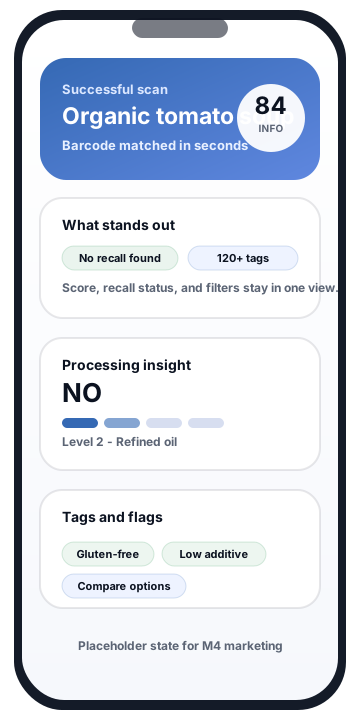
Placeholder app state showing a successful scan result.

Successful scan placeholder: the user lands on one screen with score, processing context, recall status, and tags.
02 Interpret the result

See the summary, then the evidence behind it.

The result is strongest when it explains both the answer and the reason. That includes the processing layer, key drivers, and a breakdown that stays neutral about health claims.

  • Processing is shown as a classification, not a diagnosis.
  • The breakdown gives proof when evidence exists.
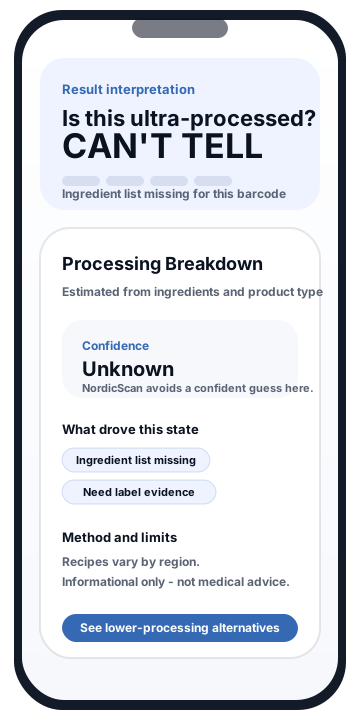
  • If evidence is incomplete, Can't tell is a valid outcome.
Placeholder app state showing a processing breakdown with a Can't tell result.

Interpretation placeholder: the breakdown view clarifies what NordicScan saw and where the evidence runs out.

03 Barcode not found

Switch from scan mode to guided photo capture.

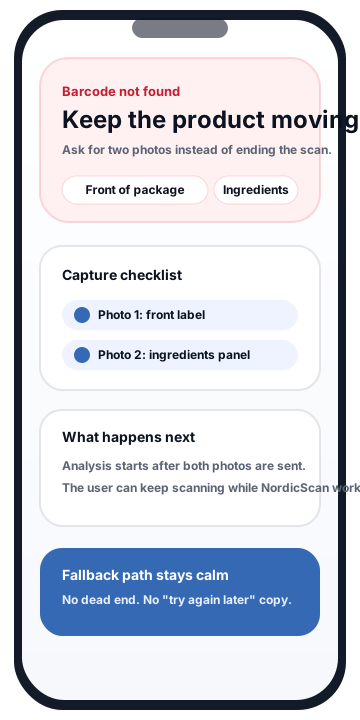
A missing barcode should not feel like a broken product. The site now spells out the recovery path: capture the front of package, capture the ingredients, and let NordicScan analyze what it can.

  • Front-of-package and ingredient photos are requested separately.
  • The user is told why both photos matter.
  • The copy stays calm and practical instead of presenting a hard error.
Placeholder app state showing the barcode not found fallback and photo capture prompts.

Barcode-not-found placeholder: the recovery path keeps the product moving toward analysis instead of stopping the user.

04 Analysis ready in minutes

Let the user keep shopping while the fallback result is prepared.

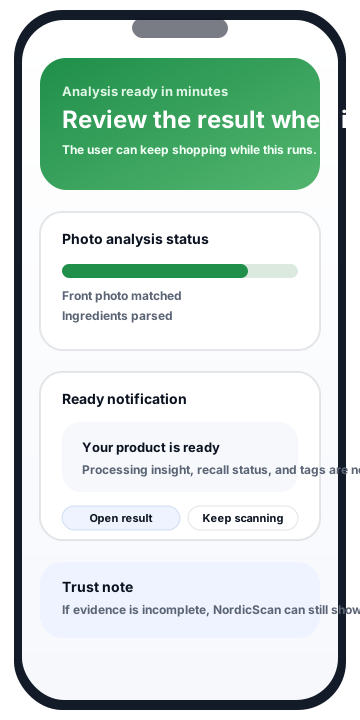
The site now explains the most important promise in the fallback path: NordicScan can analyze the submitted photos in the background and return a result when it is ready.

  • Progress is described in plain language.
  • The ready state explains what the user can review next.
  • The same caution still applies if the label evidence remains incomplete.
Placeholder app state showing photo analysis progress and a result-ready notification.

Analysis-ready placeholder: the product continues working without forcing the user to wait on a loading screen.

Once the result is ready

What the user can act on next.

Score summary A quick comparison signal designed for shopping decisions, not for diagnosing health outcomes.
Processing insight + breakdown A Yes / No / Can't tell answer, a NOVA-aligned level, and the option to inspect the key drivers behind the result.
Tags, recall status, and alternatives Filters and flags help the user decide whether to keep the product, compare it, or switch to another option.

Trust signal

Use Can't tell as a sign that the app is staying honest.

If an ingredient list is missing, incomplete, or too ambiguous to classify responsibly, NordicScan may show Can't tell instead of making a confident-sounding guess.