
Processing clarity
Yes / No / Can't tell, with a clear why.
When NordicScan has enough evidence, it can show a neutral ultra-processed answer, a NOVA-aligned level, and key drivers. If not, it can say Can't tell instead of guessing.
Features
NordicScan is built for store-aisle decisions: scan a product, see what matters, and understand why the app is confident or cautious. The goal is not just a score. It is a clearer next step.
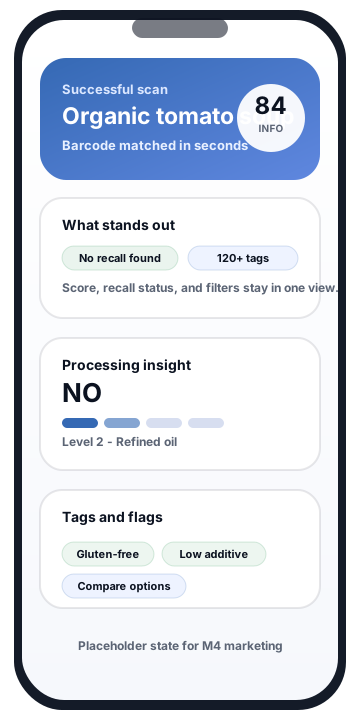
Placeholder state for M4: a product is found immediately, with the score, processing insight, recall status, and tags visible in one result.
Differentiators
The experience is designed around the practical questions shoppers ask in real time: Is this ultra-processed? Why? Does it match my filters? Is there a recall? What happens if the barcode is missing?
Processing clarity
When NordicScan has enough evidence, it can show a neutral ultra-processed answer, a NOVA-aligned level, and key drivers. If not, it can say Can't tell instead of guessing.
Recall context
When possible, NordicScan checks whether the scanned product matches recall data and surfaces a simple status. Coverage can vary by region and source availability.
120+ tags
Tags can cover diet, allergens, additives, sensitivities, packaging, and more so users can compare options without digging through labels every time.
Fallback path
The fallback path can ask for front-of-package and ingredients photos, start analysis, and let the user keep browsing while the result is prepared.
State story
These placeholders are intentionally lightweight, but each one is mapped to a real product state the marketing site should explain clearly.
01 Successful scan
A good product result should feel immediately useful: score summary, processing signal, recall status, and tags without forcing the user to hunt for context.
Result view placeholder: the happy path combines score, recall status, processing insight, and tags.
02 Result interpretation
NordicScan's premium moment is the explanation layer. The user should see whether the app can support a clear answer, what level was assigned, and which signals drove it.
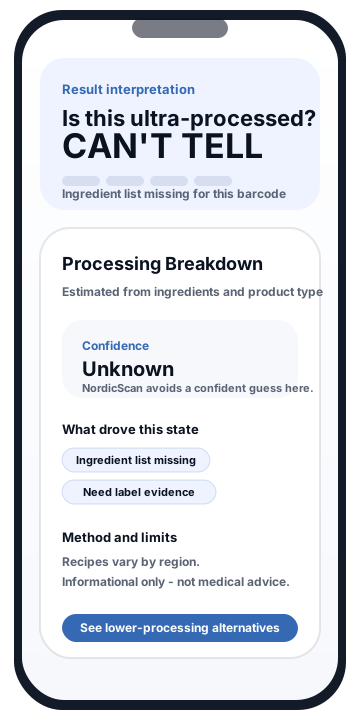
Interpretation placeholder: the app can explain a processing result or admit when the barcode does not include enough evidence.
03 Barcode not found
When a barcode is not recognized, the experience should switch from scanning to guided capture instead of dumping the user into an error state.
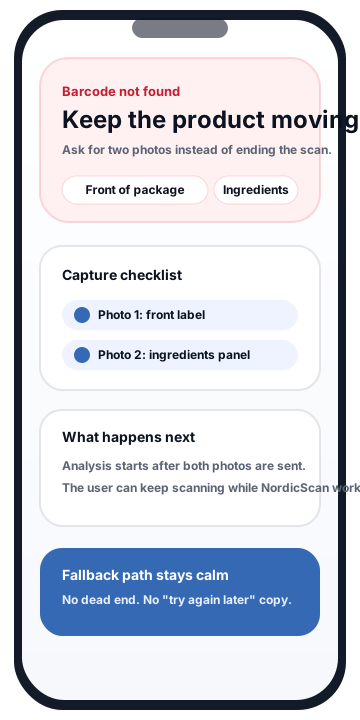
Fallback placeholder: if the barcode is missing, the next best step is explicit and low-friction.
04 Analysis ready in minutes
The product story is stronger when the site explains that analysis can continue in the background. The user should know they can keep scanning, then return when the new result is ready.
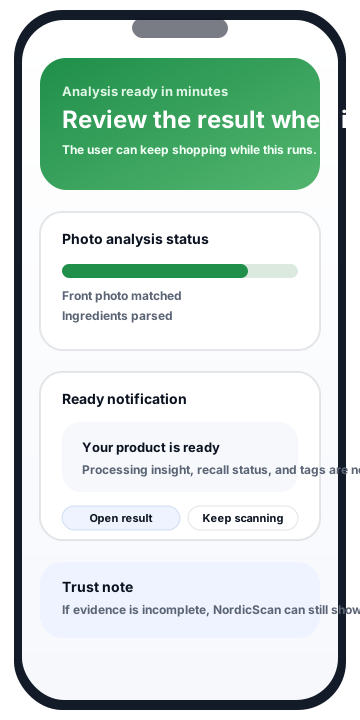
Analysis placeholder: photo review runs in the background so the shopping flow does not stop.
120+ tags
Tags can cover diet and lifestyle, allergens, additives, processing signals, packaging, and more. Use them to narrow options quickly in a crowded aisle.
This is a marketing preview UI. In the app, tags are applied using product data, claims, category context, and other available evidence.
Important
NordicScan is designed to present shopping context neutrally. Results are informational and not medical advice. Recall coverage and ingredient evidence can vary by region, barcode data, and label availability.